
Searching Cases by Name
Name searching runs through JUSTICE, short for the Judicial Users System to Improve Court Efficiency. Type the name of a party. A witness will not pull the file. Last name alone works, but a middle initial that disagrees with the court record can sink the match. Searching a business? Choose Entity rather than Individual.
image_after
- Open the official JUSTICE name-search channel, review the terms, and begin a party-name search.
- Enter the party name in its recorded format and select Individual or Entity.
- Start broad. Add Colfax, court type, case type, or year only when a common name produces more than the 30-result limit.
- Read the county number, caption, court, case type, judge, and year for each result before opening details.
- Use the result's case information and Register of Actions as public research aids, then contact the proper clerk for an official copy.
| Field label | Type | Required | Colfax search use |
|---|---|---|---|
| Party Name | Text | Yes | Last name, first name, middle initial, and suffix; last name alone is allowed. |
| Individual or Entity | Selection | Yes | Select the party type that matches the person or organization. |
| County | Multi-select | No | Choose Colfax as a narrowing filter when results are too broad. |
| Case Year | Select | No | Use only when the filing year is known. |
| Court Type | Select | No | County or District, after checking the matter's court level. |
| Case Type and Subtype | Multi-select | No | Optional filters tied to the court's case coding. |
| Judge and Attorney Name | Multi-select | No | Useful only when the recorded judge or counsel is known. |
| Sort By, Sort Order, Client Memo | Select and text | No | Sort may be ascending or descending; the memo is for billing reconciliation, not sensitive details. |
Colfax Case Search in JUSTICE
JUSTICE is the statewide system behind Colfax County Court and Colfax District Court records. The Nebraska Judicial Branch splits its tools into separate services: public case information, court calendars, eFiling, and payments. A quick party-name lookup is not the same as using a terminal at the courthouse, running a subscriber search, or ordering copies from the clerk.
Each channel serves a different need for a Colfax case search. The Nebraska case-information eServices page lists the state court-information options and what each one covers for case lookup.
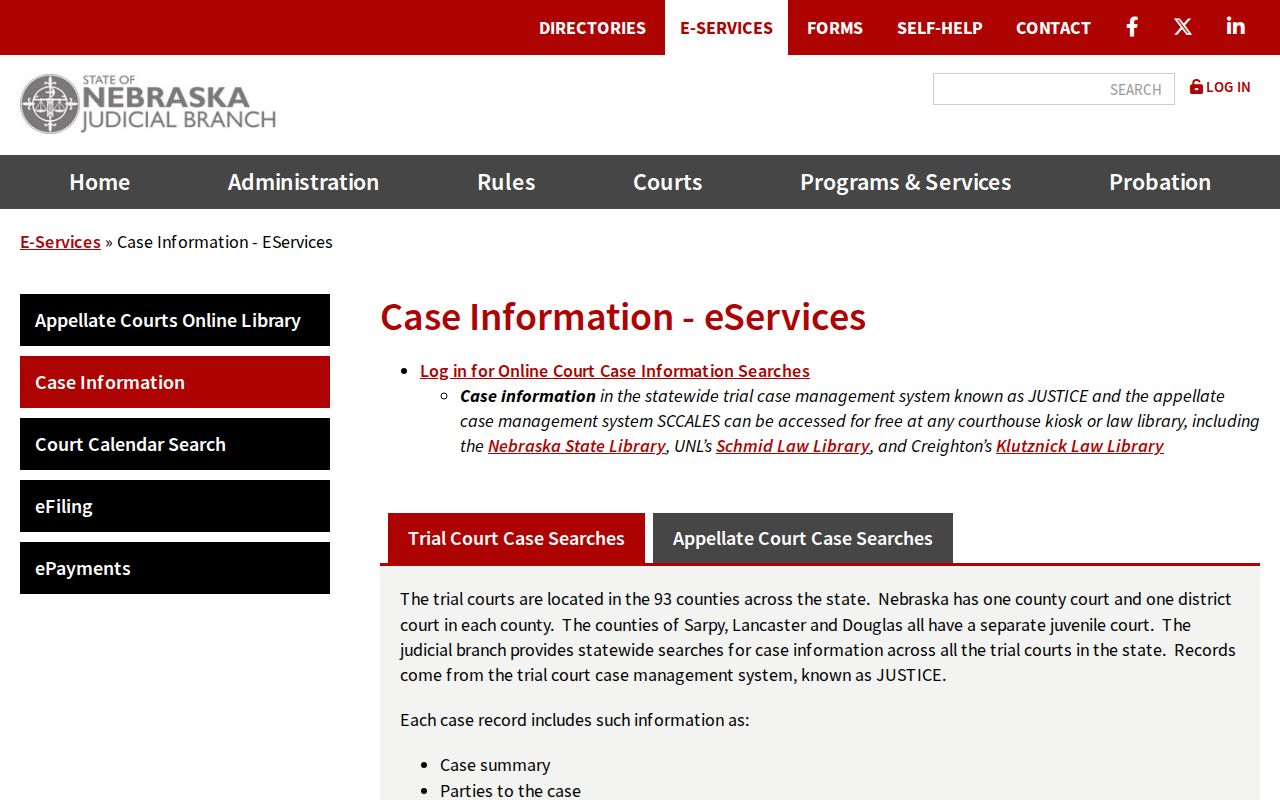
A statewide system returns matches from every county, so check any Colfax result for the right court and case caption before trusting it.
Searching by Case Number
A complete case number is the fastest path into the docket. Enter Court, County, Case Type, Case Year, and Case Number. Then pick an action from the “I want to...” menu. One warning comes from the official guide. Court and County fields can still hold values from an earlier lookup. Check both before you run the search.
Nebraska trial case IDs pack a lot into one string. They carry court information, county, case type, year, and a sequence number. The official demonstration uses C 02 CI 09 0016975 and CI 00 0000000. Those are demos, not live Colfax identifiers. Confirm the exact number first, and never assume the codes work the same way everywhere.
Colfax Case Search Number Fields
Treat the case number fields as structured choices, not a loose guess. One field separates County Court cases from District Court cases. Another sets the county to Colfax. Case Type picks a family of records. Case Year then narrows the docket further. The county number sits inside the displayed case number too. Never match on the last few digits alone. Those digits repeat across courts and years.
Missing part of the number? Fall back on a party-name search instead of guessing a code. A citation may supply the court or year you need. So may a notice, a pleading, or an older court record. Federal matters live in a separate federal system. JUSTICE will not reach them.
Colfax Case Search Filter Fields
Filters do most of the work in a docket search, and they can also mislead. County, court type, case type, subtype, judge, and attorney filters all accept more than one value. Case Year narrows things further. A stale selection can quietly hide a Colfax case from your results. So clear the form and check every selected value. Only then decide a court record is not there.
The official Nebraska case-search preview shows the form labels that structure a focused case lookup.
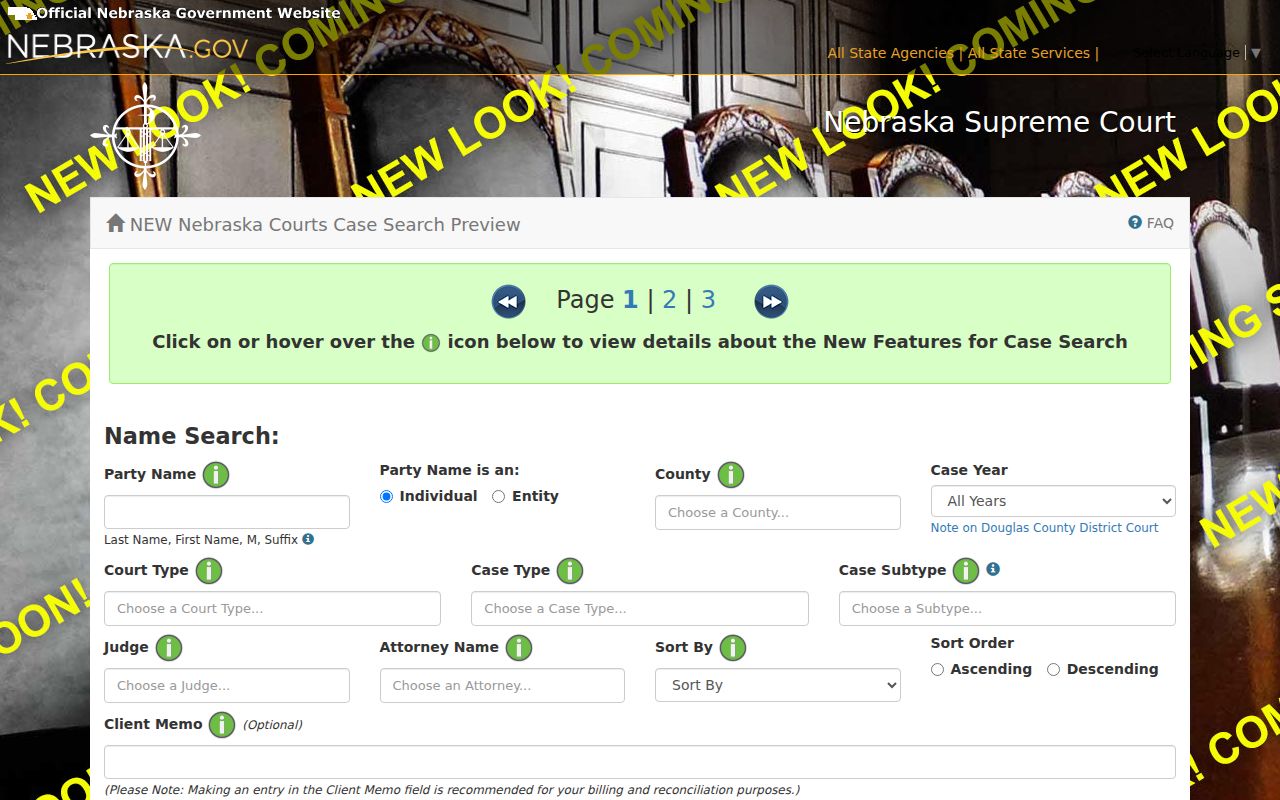
Use these fields only after a broad result count or known case details make narrowing worthwhile.
What a Case Search Returns
A public result row may list the party name and type, case number, caption, judge, attorney, and a link to details. Open the details and you can find the Case Summary, Parties and Attorneys, Judgment Information, Warrant Information, Case Schedule Information, Court Costs Information, Financial Activity, payments, the Register of Actions, Judge's Notes, and an Exhibit List.
Not every Colfax result shows all of that. Case type, date, restrictions, or the access method you used can leave a tab or document out.
| Case Summary | High-level court and county, case ID, caption, judge, subtype, opened date, status, and disposition information. |
|---|---|
| Parties and attorneys | Recorded litigants and counsel, with the displayed role read alongside the caption. |
| Case Schedule Information | Setting or hearing information, which should be compared with the notice and calendar. |
| Financial Activity | Costs, judgments, fines, restitution, payments, and balance-related entries where applicable. |
| Register of Actions | Nebraska's official chronological summary of filed or accepted actions, hearings, orders, and other entries. |
Colfax Case Search Caption Review
A name alone settles nothing. Treat every match as a lead until the details line up. Check the party role, the caption, the case number, the court, the case type, the judge, and the year. Only then should you trust a hit. Roles can show up as portal codes, so a code by itself tells you little. The official previews lean on generic names. That makes them useful for labels and result order but not for reading an actual Colfax matter. The official results preview lays out the columns you weigh before opening a case file.
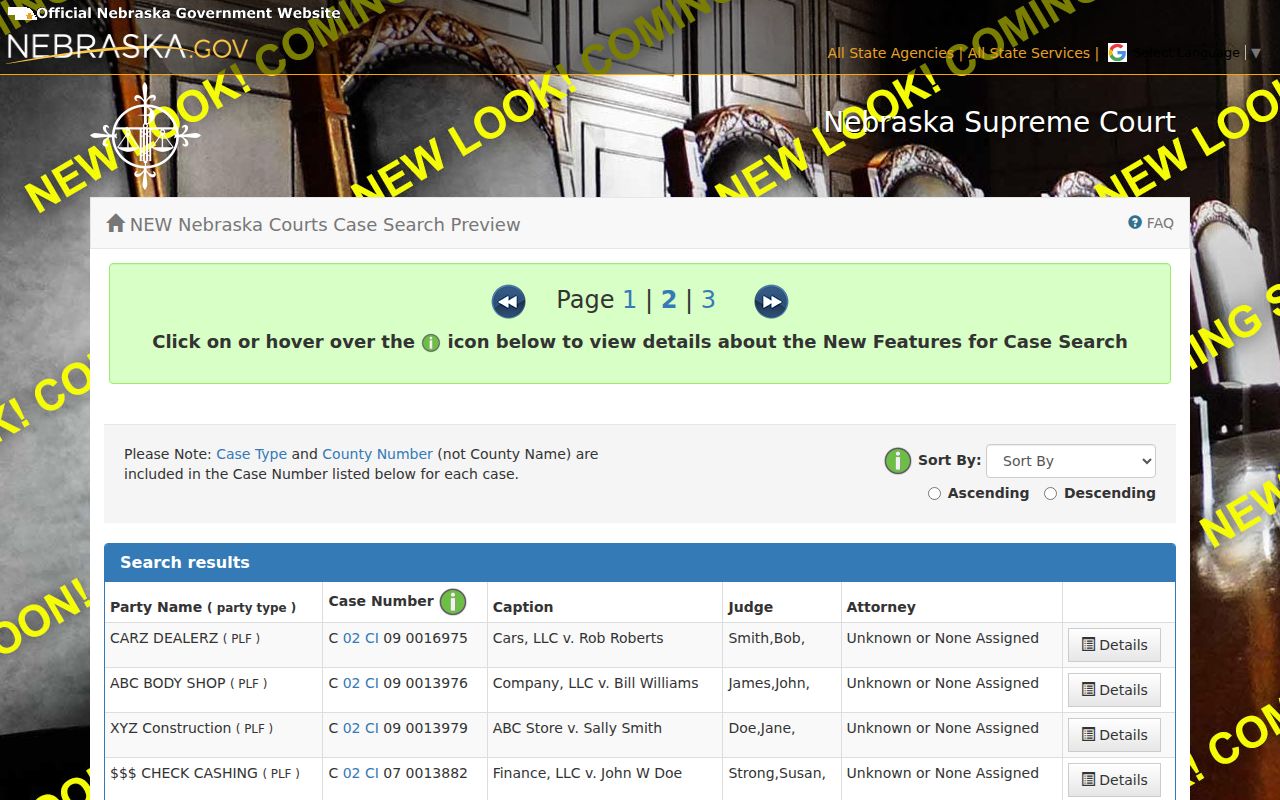
Check the caption and court first. That habit keeps an unrelated statewide name match from being mistaken for a Colfax case.
Statewide vs County Case Search
Colfax County has no stand-alone public case-search site to stack against JUSTICE. The statewide system serves as the online docket search layer for the whole state. The Colfax County Court and the Colfax District Court Clerk keep the actual court records on file. Sometimes the online docket comes up thin. You might also need an older record or a certified copy. In that case, go to the clerk, use the courthouse terminal, or follow the copy procedure instead.
| Statewide JUSTICE channel | Colfax court channel |
|---|---|
| Public party-name and case-number information across Nebraska trial courts, subject to access rules. | County Court clerk for County Court files; District Court Clerk for District Court files. |
| Case Summary, public details, and Register of Actions when available. | Courthouse terminal, case file, copy service, certification, and help with an incomplete local record. |
| Best for locating a case or checking its public online entry. | Best for official copies, older records, restrictions, and confirmation of the file custodian. |
Note: Paying for a detail view, or pulling up a document image, does not give you a clerk-certified copy of a Colfax record.
Colfax Case Search Register of Actions
The court has its own name for it. The Register of Actions, or ROA, is the running summary in a docket. Hearings, orders, filings, and other accepted actions appear in order. Keep in mind what it is not. It is not the pleading, the exhibit, the transcript, or the certified judgment behind the entry. An image links only when public and available.
Judge's Notes gather procedural and action notes, not a word-for-word transcript. A Case Schedule line can flag a setting. The Colfax County court calendar shows where an upcoming hearing sits. Have the case number ready. Then ask the clerk for a document or a certification.
Colfax Case Search Timing and History
The JUSTICE One-Time Court Case Search posts a 24-hour lag between an entry and its appearance in search. It caps returned public cases at 30. One-time results stay viewable for three calendar days. The name search also states a $17 charge even when nothing comes back. That price appears in the current display checked August 29, 2026, while older state demonstrations showed different figures.
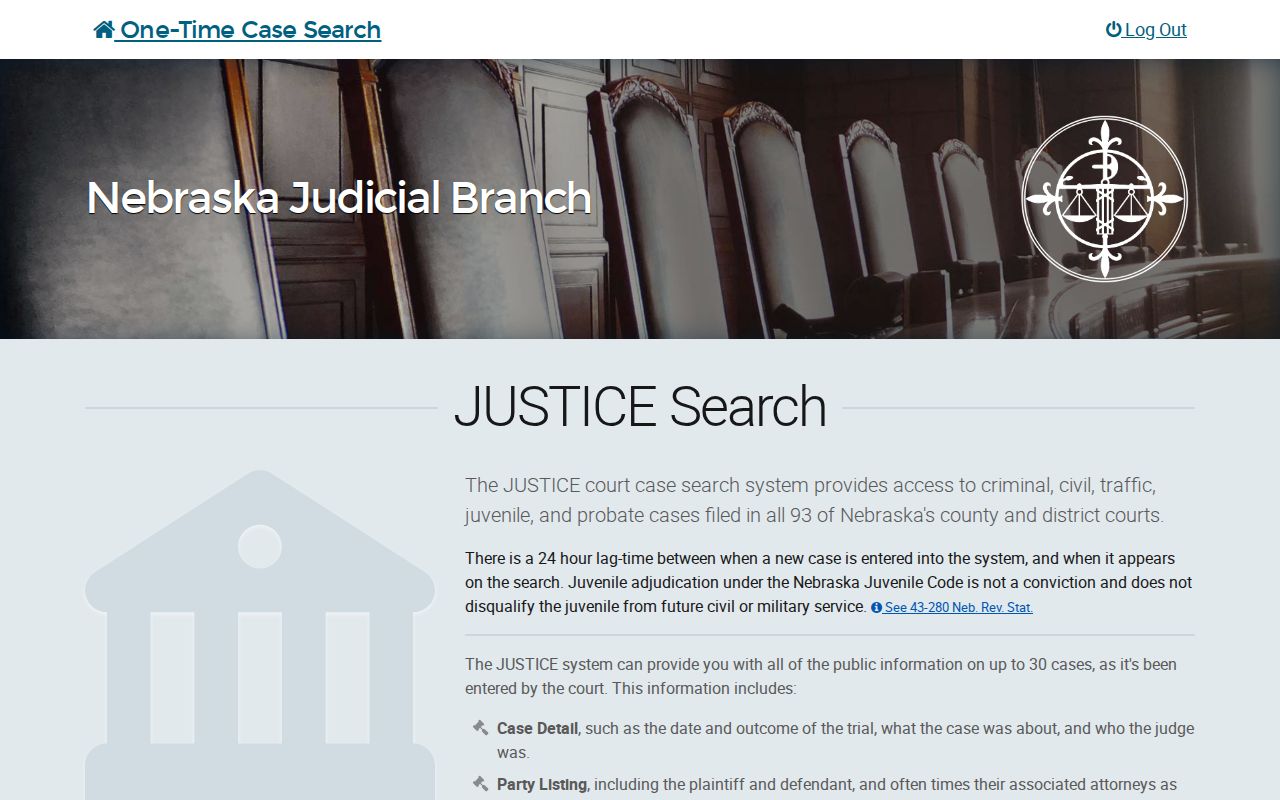
Pay once for the name-search screen and you have paid for that channel alone. It does not cover the courthouse terminal. The clerk's copy service and every JUSTICE option set their own fees.
Electronic coverage in Colfax County also depends on the kind of case. Criminal and traffic dockets reach back to October 1996. District Court reaches to April 1997. Probate plus adoption goes to May 1998. Civil and small claims start in October 1999, while juvenile coverage begins in January 2000. Anything older may force the clerk to dig through paper files or microfilm.
For the official record of those boundaries, see the JUSTICE installation-dates page. It lists when each Colfax case type first went electronic.
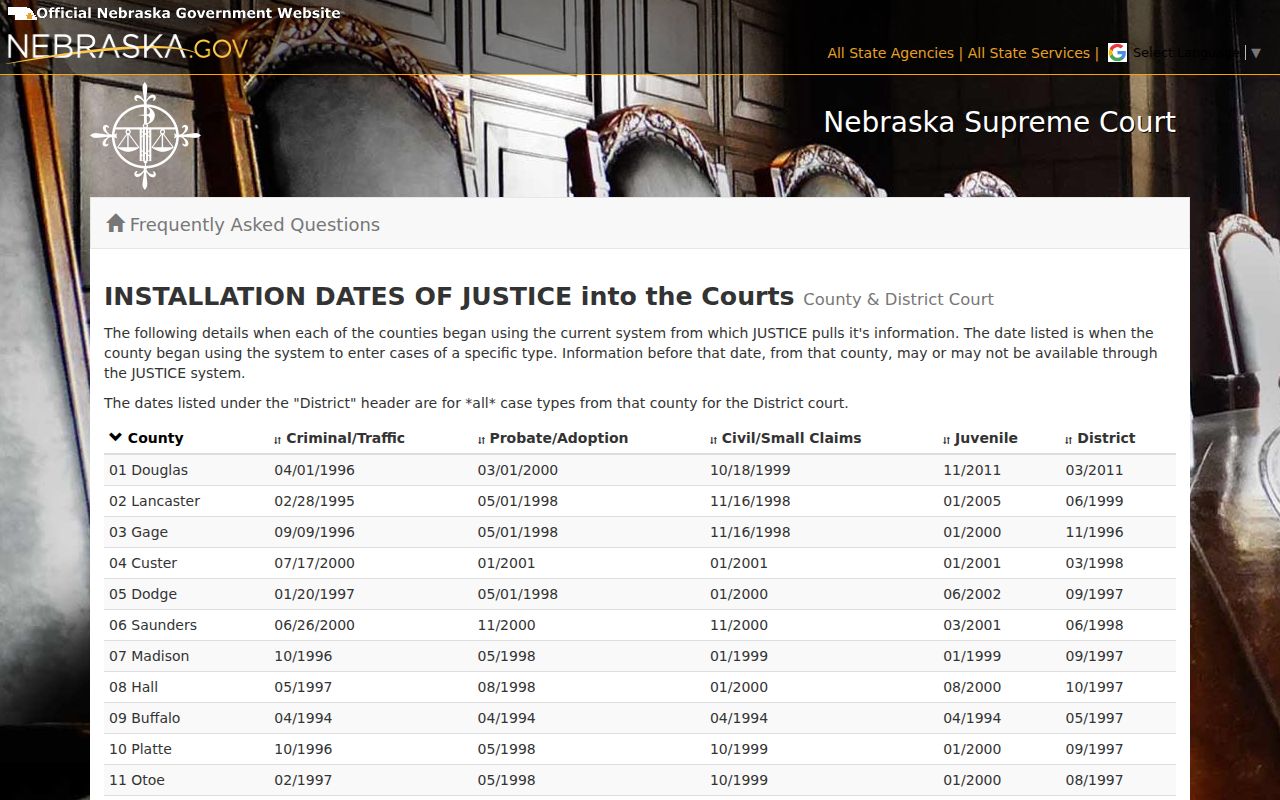
A case missing from online history may simply predate the system. Ask the clerk before assuming no Colfax case ever existed.
Colfax Case Search Clerk Route
Both Colfax court offices sit in the same courthouse at 411 East 11th Street in Schuyler, yet their records paths stay separate. Zaira Lopez, Clerk Magistrate, handles County Court contact. Minda McKitrick serves as District Court Clerk. The county directory lists County Court at 402-352-8511 and the District Court Clerk at 402-352-8506. State pages for Colfax County Court and Colfax District Court name the two offices.
When you call, give the full party name plus the court, case type, year, and case number when known. Those details speed the docket search. They matter most for older records, cases with no public image, restricted files, or requests for an official copy.
Access and Restricted Cases
Access to Colfax County court records has real limits. Nebraska's electronic-record rules let the public use the state system and courthouse terminals, but sealed files, adoptions, and other protected material stay off limits. Juvenile cases follow their own confidentiality rules. Even public civil copies may hide some details. Social Security numbers, birth dates, financial-account details, and similar data can stay hidden. A docket entry can therefore show less than the full file.
One caution belongs here. A docket search that returns nothing does not prove the case never existed. Ask the Colfax County clerk which access rule or form applies instead of using a name search to get around a restriction. Sealed-record requests go through a separate, subject-specific process. A public record of action helps with an open case, yet it cannot promise that every image attached to the file will open remotely.
Public access point. Nebraska's rules distinguish a public case summary and ROA from a sealed file, protected personal information, and a certified copy. The proper Colfax clerk can identify the available channel for a specific case.
Colfax Case Search and eFiling
Nebraska Judicial Branch eFiling is not a public case-search portal. It handles filing and service for authorized users, behind its own login and acceptance process. A document shows up in public case information only after the clerk accepts it. The record itself must be public. That is why the Nebraska Judicial Branch eFiling information and its login cannot replace a Colfax name search, case-number lookup, court calendar, or clerk record request. Use eFiling to file. Use the search tools to search.